
Continuing Studies Registration
Students who want to enroll in Continuing Studies courses at Minnesota State University Moorhead must first apply online.
Quick Summary
Before you start:
- Apply online using a personal or work email (not your MSUM email)
- Upload a transcript if registering for graduate-level credit
- Pay a $20 non-refundable application fee (waived for former MSUM students)
- Wait for approval before registering for courses
- Register and pay for each course individually
Apply for Continuing Studies & Access Registration
How to Apply for Continuing Studies
Follow these steps to create your Continuing Studies account.
- Apply or log in
If you are a new student, select Apply for Continuing Studies and create your account using a personal or work email address (do not use your MSUM email).
If you have already applied, select Student Login and enter your email and password.
Important: A $20 non-refundable application fee is required for new applicants.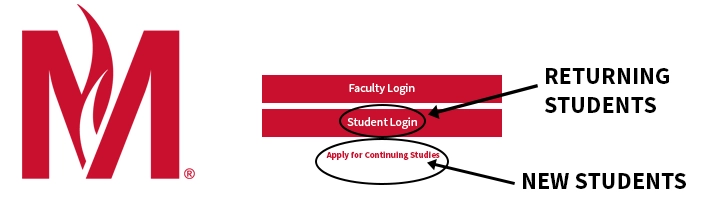
- Complete the application
Fill out the application form. If you plan to take graduate-level courses, upload your unofficial undergraduate transcript when prompted.
Tip: Hover over the red information icons for help completing each field.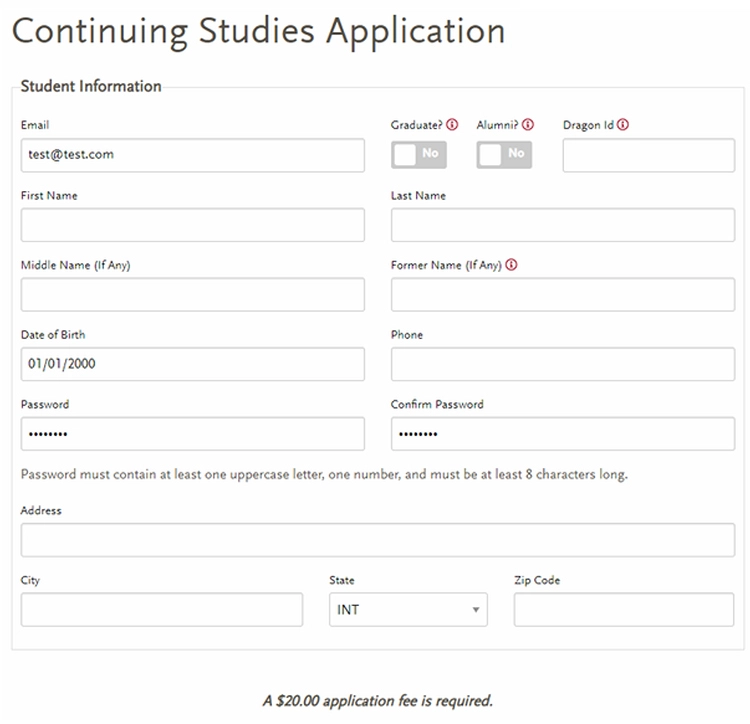
- Wait for application approval
After submitting your application, you will be taken to your student profile. You will not be able to register for courses until your application is approved by the Registrar’s Office.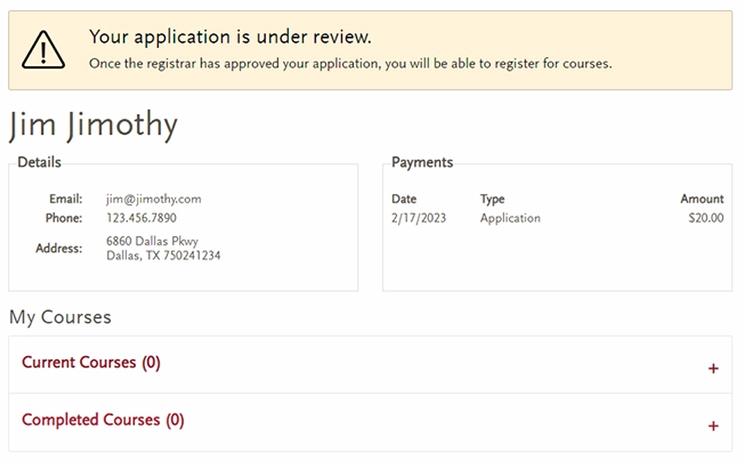
- Log in after approval
Once your application is approved, return to the site and select Student Login. Use the same email and password you created when applying.
How to Register for Continuing Studies Courses
Once your application is approved, follow these steps to register for courses.
- Access the registration page
After logging in, a Register button will appear in the navigation menu.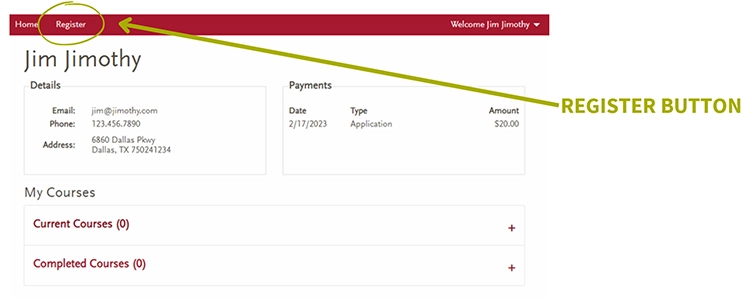
- Review available courses
Select a course to view details such as:- Course description
- Location
- Level (undergraduate or graduate)
- Instructor
- Select and register for a course
Check the box next to the course you want, then select Register at the bottom of the page.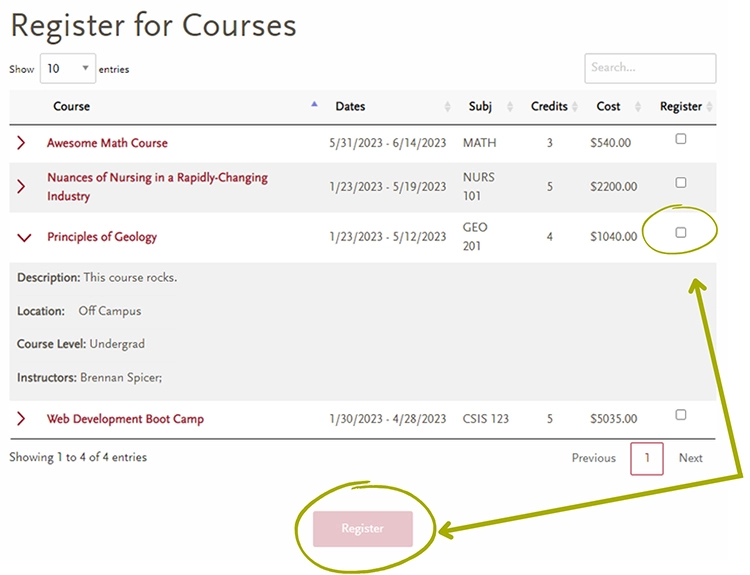
- Complete payment
You will be directed to a payment screen to finish your registration. Each course must be registered and paid for individually. - Receive confirmation
After payment is submitted:- The Registrar’s Office will process your registration
- A confirmation email will be sent to you
Download Instructions
Download Continuing Studies application and registration instructions (PDF)
Questions? Contact Us
Email: registrar@mnstate.edu

Susan (Sue) Bertsch
Academic Planning Coordinator
Registrar's Office
OW 210